
Overview
TrueLearn’s Answer Confidence and Answer Change tools help you better understand not just what you got right or wrong, but how you approached the question.
Together, these tools can help you:
- Identify topics where you may be overconfident or unsure.
- See how your answers change over time.
- Find questions where your confidence does not match your performance.
- Identify areas that may need additional review.
- Build targeted practice tests based on your confidence and performance.
Enabling Answer Confidence:
- Quick Create:
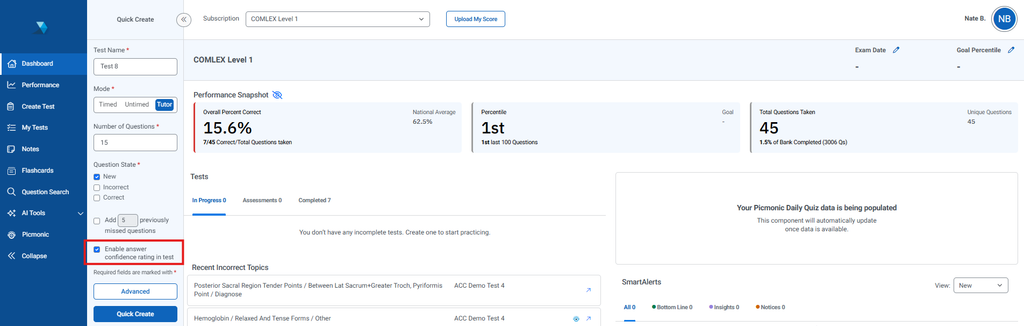
- When creating a test using Quick Create, Answer Confidence Ratings will be enabled as the default setting.
- When enabled, Answer Confidence Rating questions will be included on your test, allowing you to indicate your confidence in your answer before submitting each question.
- Create Test:
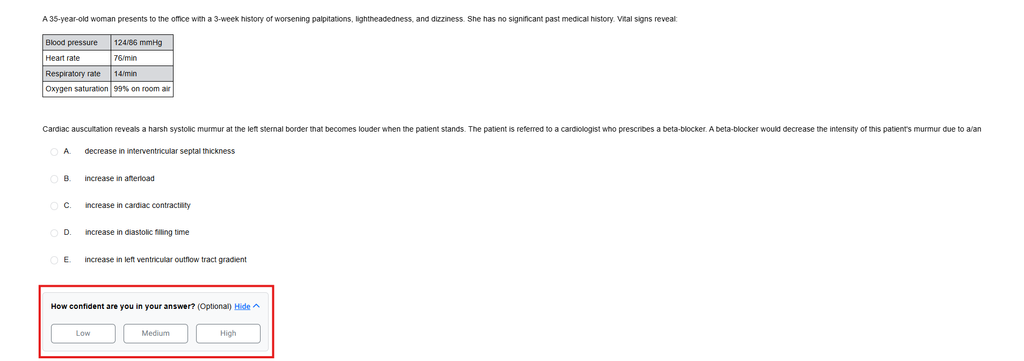
- When creating a test through Create Test, you can enable Answer Confidence Ratings in the test settings.
- Once enabled, you will have the option to provide a confidence rating for questions included in the test.
- Even if enabled, users have the option to skip rating a question.
Adding Rating Questions to Tests:
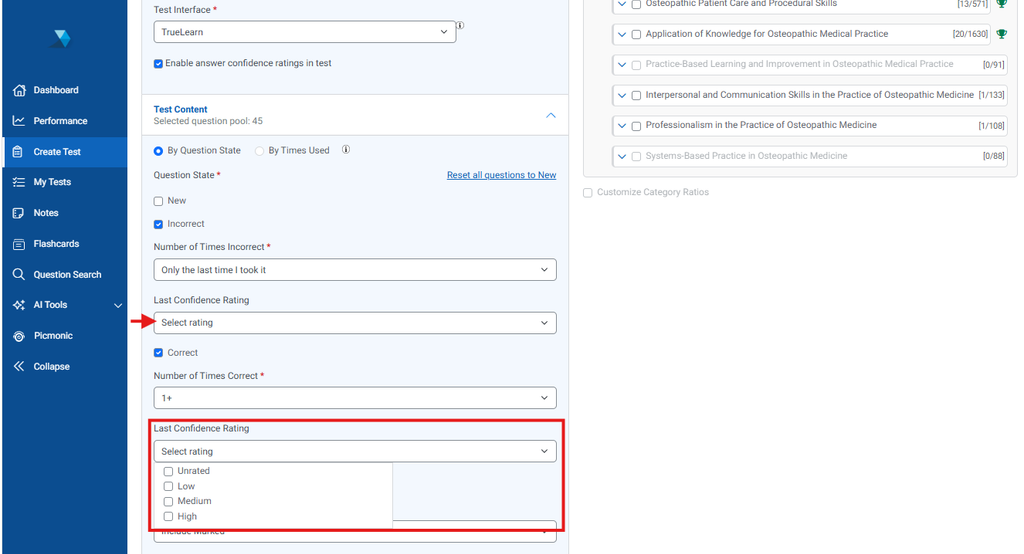
- For previously answered questions with confidence ratings, users can choose to include any combination of Low, Medium, or High confidence ratings, or select Unrated to include only questions that have not yet been rated.
Rating Questions:
Test/Quizzes:
- Answer Confidence Ratings are available while taking Tests and Quizzes.
Closed:
- The Answer Confidence Rating section is initially closed to keep the focus on answering the question. You will have the option to expand and rate each question after selecting an answer.

Expanded:
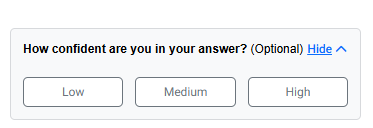
- Select the Answer Confidence Rating section to expand it and view the available ratings.
- Select High, Medium, or Low to record how confident you are in your answer.
- Your confidence rating is saved when you submit the question.
Review: Test/Quizzes:
- During Test or Quiz Review, you can review the confidence rating associated with each question.
- Your confidence rating can help you compare how certain you felt about your answer with whether your answer was ultimately correct.
Review Test/Quizzes Modal Updated
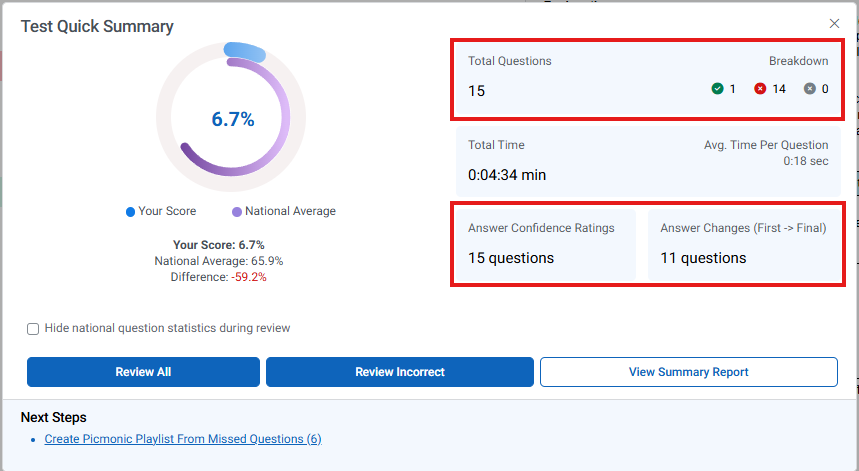
- The Review Test/Quiz modal has been updated to include Answer Confidence and Answer Change information, providing additional context into your performance and answer decisions throughout the test or quiz.
Test/Quiz Summary Reports
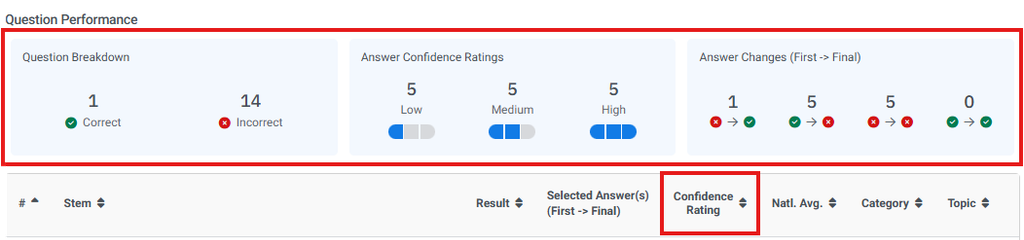
- New tiles have been added to the Question Performance section of the Test/Quiz Summary Report to capture key metrics, including:
- Question Breakdown
- Provides a breakdown of questions based on your answer and performance.
- Answer Confidence Ratings
- Provides an overview of the confidence ratings selected across questions in the Test or Quiz.
- Answer Change (First → Final)
- Shows how often answers were changed and the outcome of those changes, allowing you to see whether changing an answer helped or hurt your performance.
Additionally, the Confidence Rating column has been added to show the rating given to each individual question (Low, Medium, High).
My Question Stats:
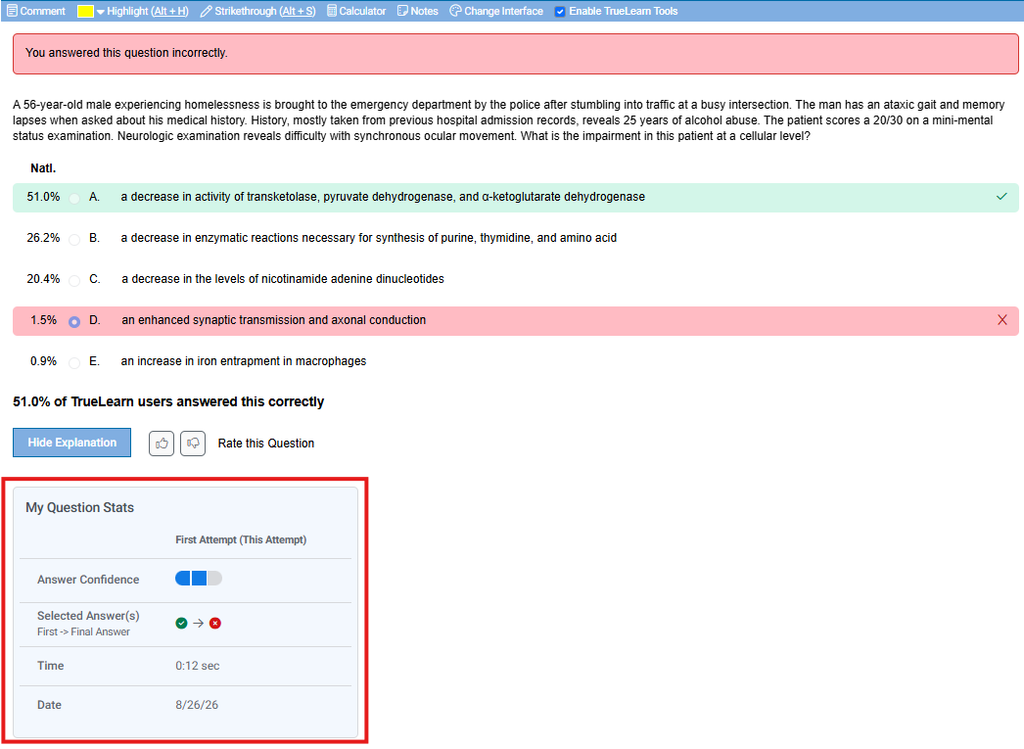
During review, the My Question Stats section appears below the Explanation button. This section provides additional information about your activity on the question, including:
- Answer Confidence Rating: Your confidence rating for the question.
- Selected Answer (First → Final): Shows your initial answer and final answer if the answer was changed.
- Time: The amount of time spent on the question.
- Date: The date the question was answered.
This information can help you identify patterns between your confidence, answer changes, and performance.
Performance Page:
- The Category Performance Performance Trend section has been expanded to include Answer Confidence and Answer Change views.
- These views help you understand how your confidence and answer-changing behavior have changed over time and across categories.

Answer Confidence View Details Modal:
- The Answer Confidence View Details modal provides additional insight into your confidence ratings.
- It includes a breakdown of your confidence activity to help you identify patterns between how confident you feel and how you perform.
- The modal also provides Insights to help highlight notable patterns in your Answer Confidence data.
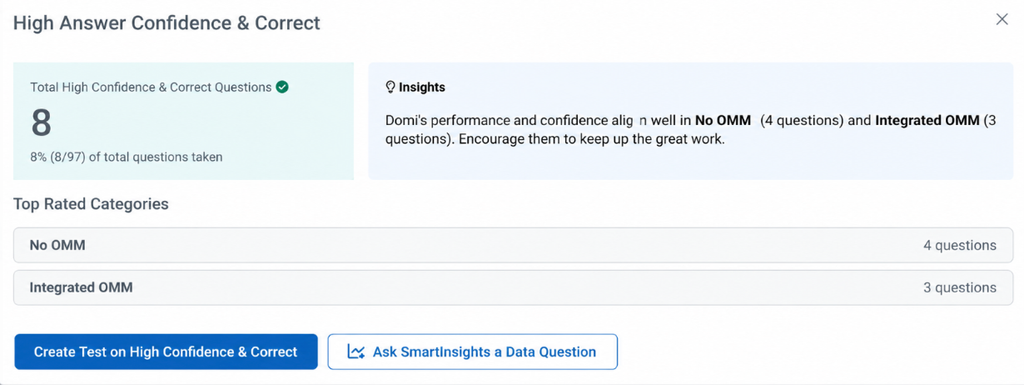
- Additionally, you can create a test focused on specific categories, with the associated questions pre-populated by default.
- You can also ask SmartInsights questions specific to your Confidence Ratings and Answer Submission behavior.
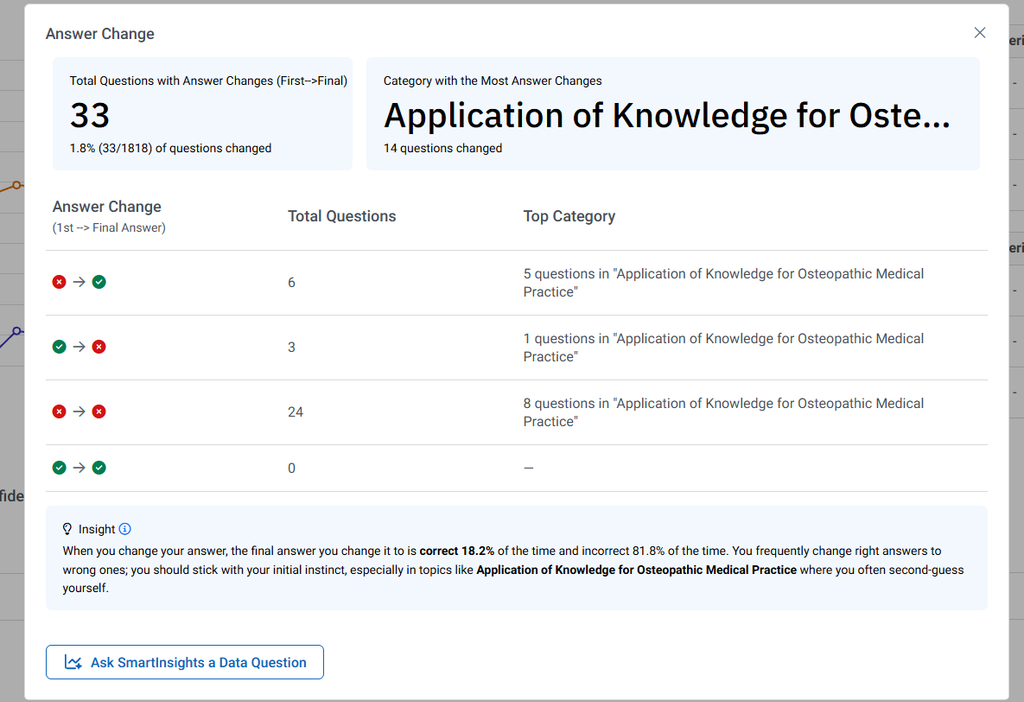
Answer Change View Details Modal:
- The Answer Change View Details modal provides additional insight into your answer-changing behavior.
- This modal contains:
- Total Questions with Answer Changes (First → Final): Shows the total number of questions where your answer changed from your first selection to your final selection.
- Category with the Most Answer Changes: Identifies the category where you changed your answers most frequently.
- Insights: Provides AI-generated insights into notable patterns in your answer-changing behavior and decision-making.
- Answer Change Breakdown: A table showing a detailed breakdown of your answer-changing activity, including your first answer, final answer, and the outcome of the change.
Frequently Asked Questions
What is Answer Confidence?
Answer Confidence allows learners to indicate how confident they are in their answer to a question by selecting Low, Medium, or High. This information can be used to compare confidence with actual performance and identify areas for additional review.
What is Answer Change?
Answer Change shows how a learner’s answer changed from their first selection to their final selection. It helps learners understand how often answers are changed and whether those changes resulted in a correct or incorrect answer.
How do I enable Answer Confidence?
For Members, Answer Confidence can be enabled when creating a test through Quick Create or Create Test.
Is Answer Confidence enabled by default?
Yes. Answer Confidence is enabled by default. You can disable it when creating a test or quiz if you prefer not to capture confidence ratings for each question.
Can I change my confidence rating after answering a question?
Yes. You can change your confidence rating after answering a question, allowing you to update your rating if your confidence changes.
When is my confidence rating saved?
Your confidence rating is saved when you submit the question.
Can I see my confidence rating after completing a test or quiz?
Yes. During Test or Quiz Review, you can see the confidence rating associated with each question.
What does “First → Final” mean?
First → Final represents the answer you initially selected compared with the answer you ultimately submitted. This is used in Answer Change reporting to show how your answer changed and the outcome of that change.
What types of Answer Changes are tracked?
Answer Change reporting can show different outcomes, including:
- Correct → Incorrect
- Incorrect → Correct
- Incorrect → Incorrect
Where can I see my Answer Confidence and Answer Change data?
Learners can view this information in Test/Quiz Summary Reports, My Question Stats, and the Performance Page.
What are the Answer Confidence View Details and Answer Change View Details?
These are detailed views available from the Performance Page. Answer Confidence View Details provides additional insight into confidence and performance patterns, while Answer Change View Details provides a breakdown of answer-changing behavior and outcomes.