
This guide walks you through how to access and navigate the Medality Application.
To log in, please visit https://medality.com/login/. You will be prompted to enter your email address and password.
Once logged in, you will see a navigation menu on the lefthand side.
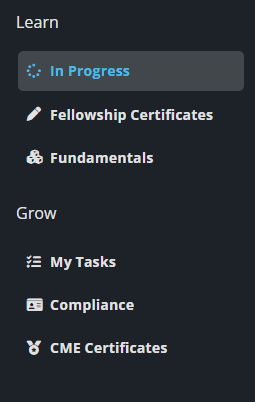
Under the Learn section you can select:
In Progress: Navigate here to quickly view any courses you have started.
Fellowship Certificates: Navigate here to view and open the Fellowship Programs, if purchased.
Fundamentals: Navigate here to access courses that cover the basic fundamentals for various radiology topics. These are great for first or second-year residents, or an attending radiologist learning about a new subspecialty for the first time.
Under the Grow section you can select:
My Tasks: Navigate here to view
- Tasks created by you
- Education tasks that are part of a course
- Tasks assigned to you by an Administrator
- Tasks that are part of a State License Requirement
- Note: to add your state licensing information, access your Learner Profile in the upper right hand corner of your screen.

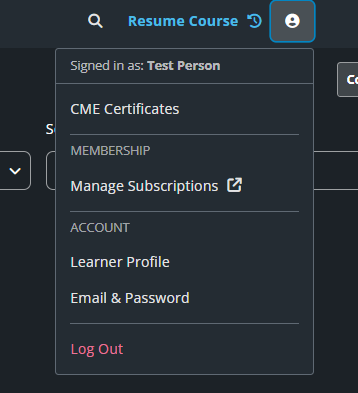
- From the Learner Profile, scroll down to the Credentials section, where you can enter your NPI and state licensing information.
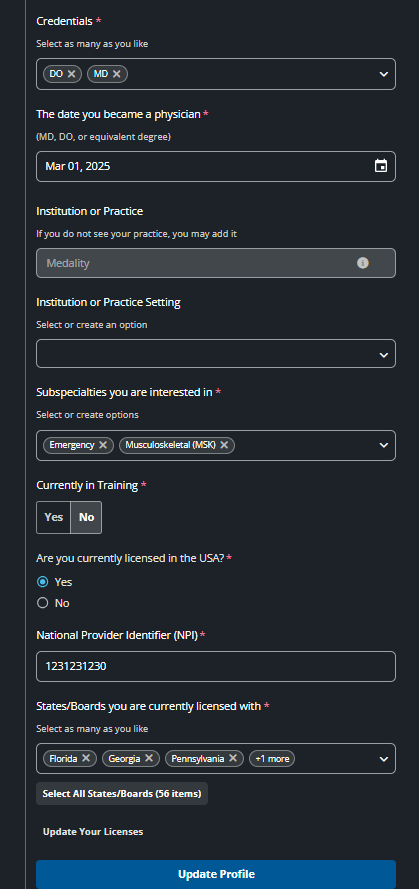
Compliance: As part of a premium membership, you can enter your State Licenses
- View and Manage your state medical licenses
- Download licenses
- Complete coursework within the library to satisfy the requirements of the states you are licensed in
CME Certificates: Allows you to download CME Certificates for
- Medality Clinical CME
- Premiere State CME (if applicable)
Alongside the lefthand navigation menu, you will also see menu options across the top of your page.

Upcoming Events
Select Upcoming Events to access our Noon Conference schedule
- Noon Conferences are radiology lectures live-streamed every week at 12 pm ET that keep the radiology community connected and make learning accessible from anywhere
Course Library
Select Course Library to see the course library content broken down by subspeciality.
- Each Subspecialty is organized into topics/learning pathways. From the course library, first select a subspeciality, then you will be provided with the topics/learning pathways associated with that subspeciality.
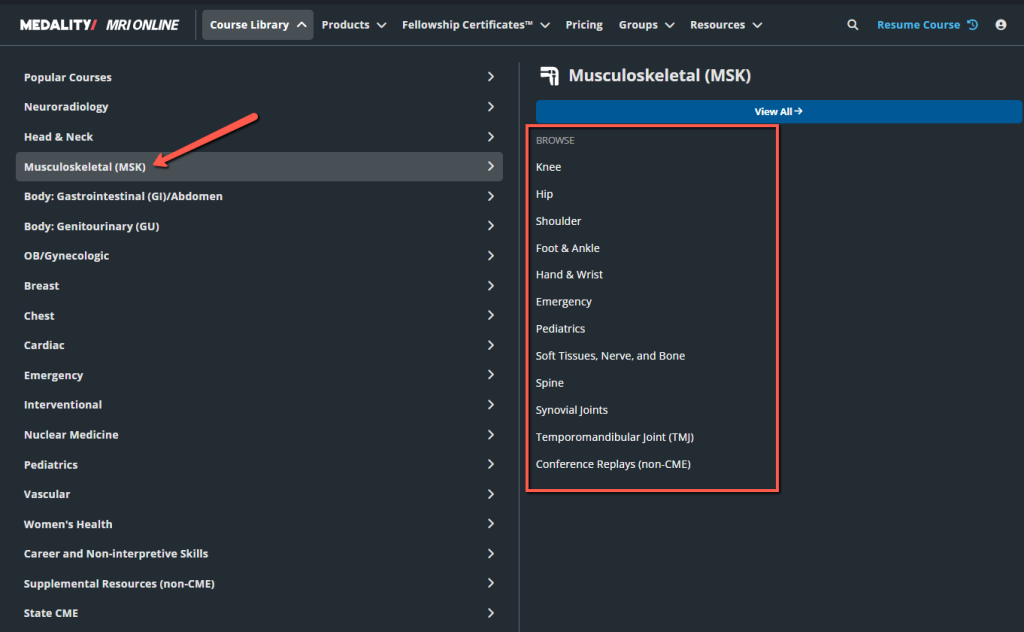
Once a subspecialty and topic/learning pathway has been selected, you will be able to browse all the content related to the selected topic.
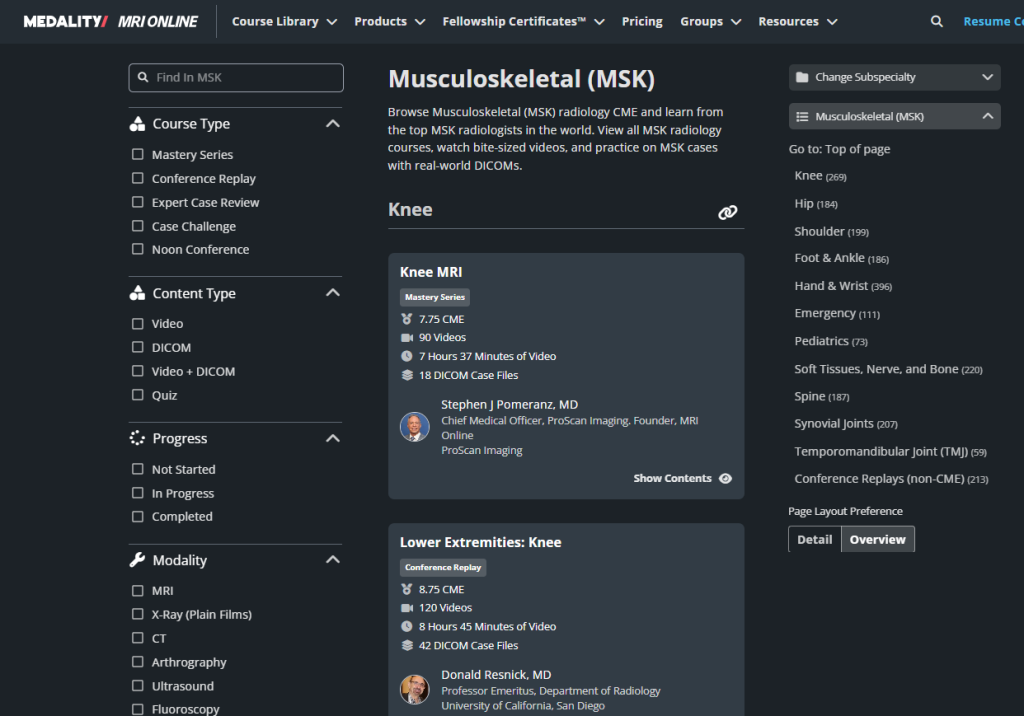
On the left side of the window, you can filter/search within the topic you’ve selected. Select the check box next to the available filters to hone in on your search.
Course Type:
- Mastery Series – These courses are organized by topic and consist of dozens of short, 5-10 minute vignettes. Each course covers anatomy, protocols, and case review. All taught in an interactive learning format from world-renowned radiologists
- Conference Replay – These are recorded live conferences that have been turned into a micro learning course.
- Expert Case Review – Focuses on a different radiology subspecialty, with the opportunity to interpret cases before our faculty walks you through the diagnoses. Assess your skills and improve your confidence.
- Case Challenge – Test your knowledge and review a volume of cases with Case Challenges. These case stacks are accessible through our interactive case viewer giving you the ability to review cases just like you would at your workstation.
- Noon Conference – These are weekly lectures covering a variety of radiology related topics presented by renowned radiologists from all over the world. Accessible live on weekdays at 12pm ET and on-demand. We record and catalog our Noon Conferences so that they can be accessed on-demand as well.
Content Type
- Video
- DICOM
- Video + DICOM
- Quiz
Progress
- Not Started
- In Progress
- Completed
Modality – These menu items will flex based on the subspecialty selected.
Pathology – These menu items will flex based on the subspecialty selected.
Video Length – Search for videos of different lengths depending on how much time you have
Audience – Choose from beginner, intermediate or advanced depending on where you are in your learning journey.
Faculty – filter by lecturer or primary course faculty on any of our library courses
Once your filters have been applied, the Center of the screen will populate with associated available courses. From here, you can view the
- Course Title and Type
- Amount of possible CME to be earned for completing the course
- Number of videos
- Hours and minutes of videos
- Number of DICOM (Digital Imaging and Communications in Medicine) case files
- Faculty Leader
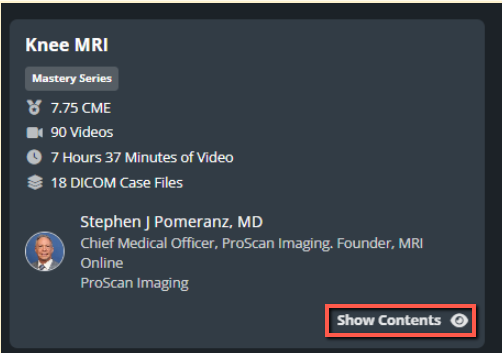
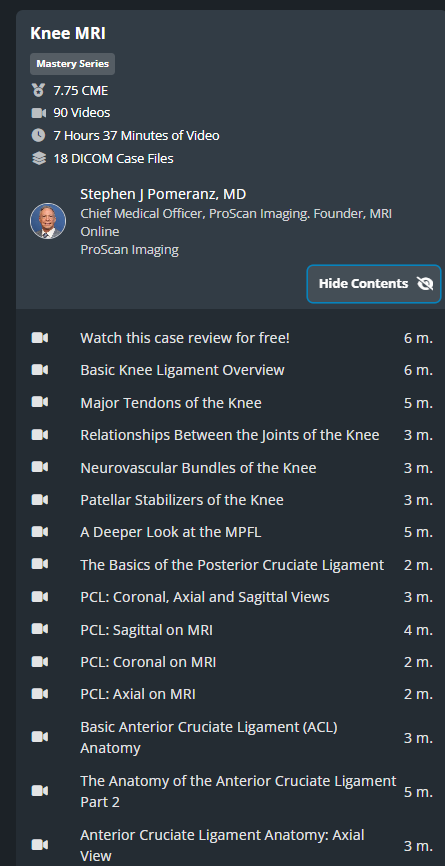
On the bottom right hand side, select ‘Show Contents’ to expand the course into all of its specific videos/titles/video length. Below is before and after.
Select “Hide Contents” to collapse the additional details.
Products
From the Products section you have access to three additional offerings:
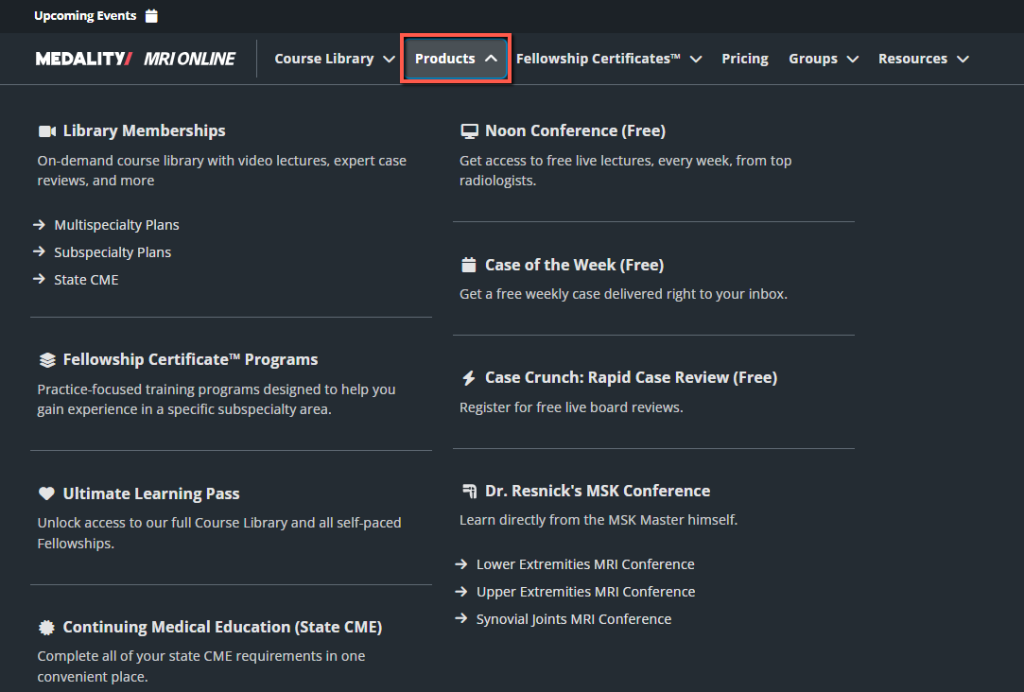
Noon Conference: Noon Conferences are radiology lectures live-streamed every week at 12 pm ET that keep the radiology community connected and make learning accessible from anywhere.
Case of the Week: Simply sign up and get a weekly case delivered right to your in-box. Each case includes scrollable DICOMs and expert video explanations. Cases will span multiple subspecialties and modalities.
Radiology Rapid Case Review: previously recorded board review content. You’ll learn from top faculty from around the country in 10 one-hour case reviews, covering high-yield topics to help you prepare for the ABR CORE Exam.
Fellowship Certificates
Select Fellowship Certificates to access any Fellowships you have access to. A menu will appear with all Fellowships available within your account. Simply select the Fellowship name to access the details and start the program.
Resources
From the Resources section you can find information about our Blogs, the Radiology Practice Development Report, Customer Testimonials, Download the The Radiology Report Podcast, access our webinars, learn about Medality CME and State CME, and our available Resident Resources.
