How do I update my payment method?
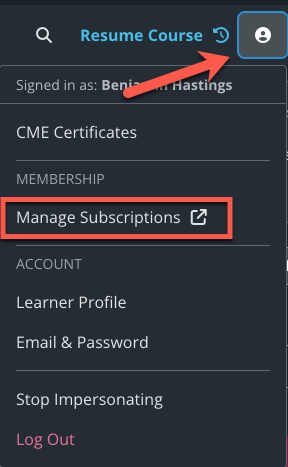
To update your payment method click on your profile in the top right corner. In the drop-down menu select “Manage Subscriptions”.
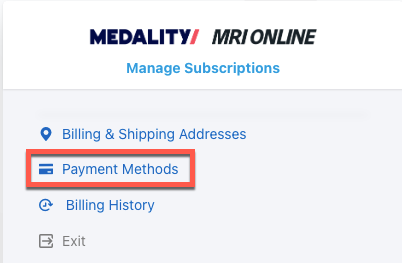
From here, select Payment Methods to make any updates.

To update your payment method click on your profile in the top right corner. In the drop-down menu select “Manage Subscriptions”.
From here, select Payment Methods to make any updates.