
What is TrueLearn’s AI ChatBot?
TrueLearn’s AI ChatBot, SmartAssist, helps learners turn review time into precision learning by delivering personalized explanations, summaries, and clarifications that deepen understanding and reinforce key concepts instantly.
Where can I access SmartAssist?
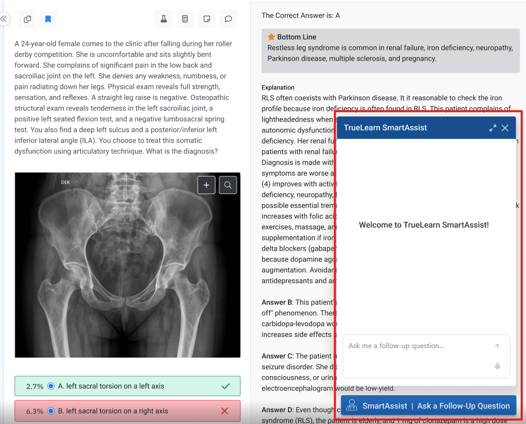
SmartAssist appears inside tests taken in Tutor mode and Test Review mode on eligible medical SmartBanks. It’s visible as an icon that when clicked opens a draggable chat window alongside the question and explanation.
Is SmartAssist available for all of TrueLearn’s SmartBanks?
SmartAssist is available for all banks on the TrueLearn platform in the following areas:
- Anesthesiology
- COMLEX
- CRNA
- Emergency Medicine
- Family Medicine
- General Surgery
- Internal Medicine
- Medical Assistant
- Neurology
- NP
- Nursing
- OBGYN
- PA
- Pediatrics
- Psychiatry
- USMLE
What type of questions can I ask in SmartAssist?
Here are some examples of questions you can ask
- Why are the incorrect answer choices wrong?
- Can you summarize the difference between restrictive and obstructive lung disease?
- What topic should I review to understand this question better?
- Can you summarize the key takeaway from this question?
- Can you explain this topic more simply?
- Why is the correct answer correct?
Please note, sometimes SmartAssist may not understand the prompt. If this happens, please try rephrasing the question.
How should I use SmartAssist?
SmartAssist should be used as a study companion, not a substitute for faculty or instructor guidance. It’s designed to enhance learning and reinforce content already in TrueLearn — not to teach new material or provide medical advice.
Where does SmartAssist pull its information from?
SmartAssist uses all of TrueLearn’s content (questions, explanations, rationales, and related learning materials) to generate its responses. The ChatBot does not pull information from any external sources.
Can SmartAssist explain images, diagrams, or Picmonics?
Currently, it does not interpret images, diagrams, or Picmonics directly. The AI will assume what an image in the explanation could be and provide context of what you might see. Users should ask text-based questions related to the written content or explanations provided.
Is my conversation history with SmartAssist saved?
No, conversations are specific to the user session. Once you leave the Test or Test Review, that session’s history will no longer be accessible. If you would like to save the content for future use, be sure to add it to a Note or Flashcards.
Can I add details from SmartAssist into my Flashcards?
Currently, the only way to add details generated within SmartAssist is to copy and paste into your flashcards. For more details on creating flashcards, click here.