
Overview
Clinical Practice Refresh is a new, MAC-aligned product that covers the same subject areas as the CPC Core Modules but delivers them through a streamlined course design, a redesigned assessment structure, and a higher total CE credit model.
Product Details:
- 30 Class A credits (including 10 credits in pharmacology/therapeutics).
- Covers 4 domains that are AANA-approved and recognized by the NBCRNA:
- Airway Management
- Clinical Pharmacology
- Human Physiology & Pathophysiology
- Anesthesia Equipment & Technology
- The perfect balance between review content and clinically relevant teaching to inform your practice.
- Over 125 practice questions to help you review for the MAC Check.
- Each post-test allows up to three attempts to achieve the required 80% benchmark.
- Access from any device with an internet connection
- Choose the format that’s best for you (you’ll get access to all 3):
- Video
- Streaming audio
- PDFs you can print (great for offline learning)
Post-Test details:
- Each post-test will include 10 questions each. All post-tests within the Clinical Practice Refresh course will award 2 CE Credits upon completion.
- Users can utilize hints to help through the post-test and review missed questions and answers after the post-test is completed. In order to receive the credit, CRNAs must:
- Receive 80% or higher score on the post-test
- Complete the learner evaluation at the end of each post-test
- Download the certificate for each post-test (this is only necessary if the user is going to submit to the AANA themselves)
- Credits will be submitted to the AANA under the user’s AANA # and personal information provided.
- The NBCRNA allows for three attempts (per post-test) to receive an 80% or better. Questions will be randomized with potentially new questions inserted for each attempt.
- CE Reporting to AANA is completed by APEX and reported M-F in a normal business week. It may take up to 72 hours for credits to appear.
Accessing the course:
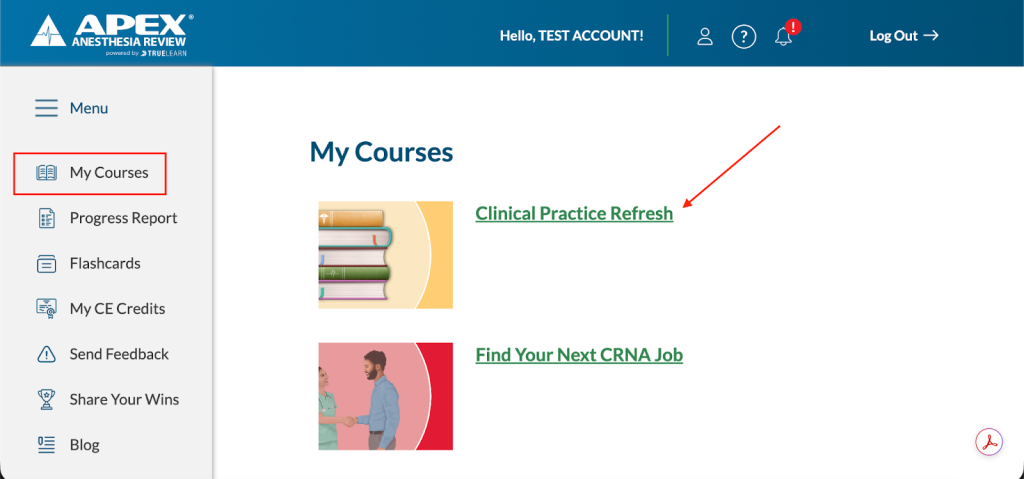
- To access the Clinical Practice Refresh Course, go to My Courses in your APEX account and look for Clinical Practice Refresh. Click on the correct course from the list.
- Review How To Use This Course before getting started.
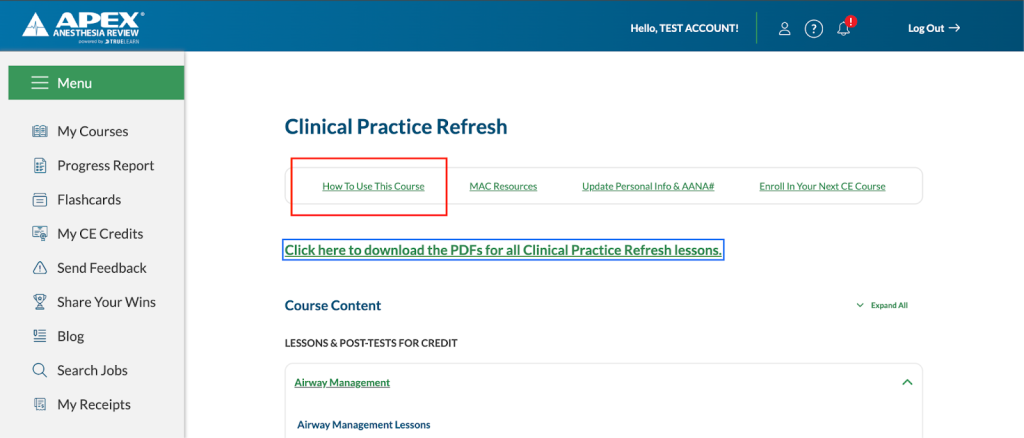
- Use the “Click here to download the PDF’s for all Clinical Practice Refresh lessons” link to quickly download all PDFs included within the course. A PDF will be available for each lesson.
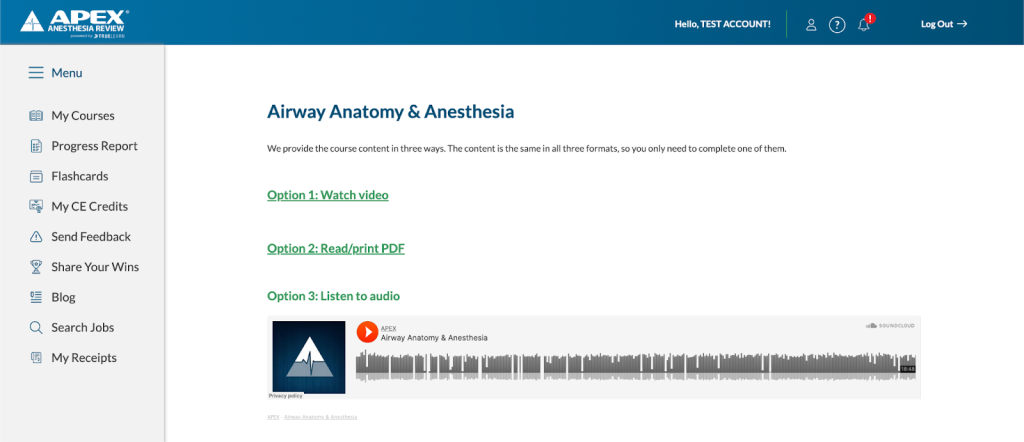
- Proceed to LESSONS & POST-TESTS FOR CREDIT – The content and post-tests are organized by domain. Within each domain, you will find a series of lessons. Each lesson is available in three formats: Video, PDF, and Audio.
- To access a lesson, simply click on the lesson title and select your preferred format. All formats provide the same content, allowing you to choose the method that best fits your learning style.
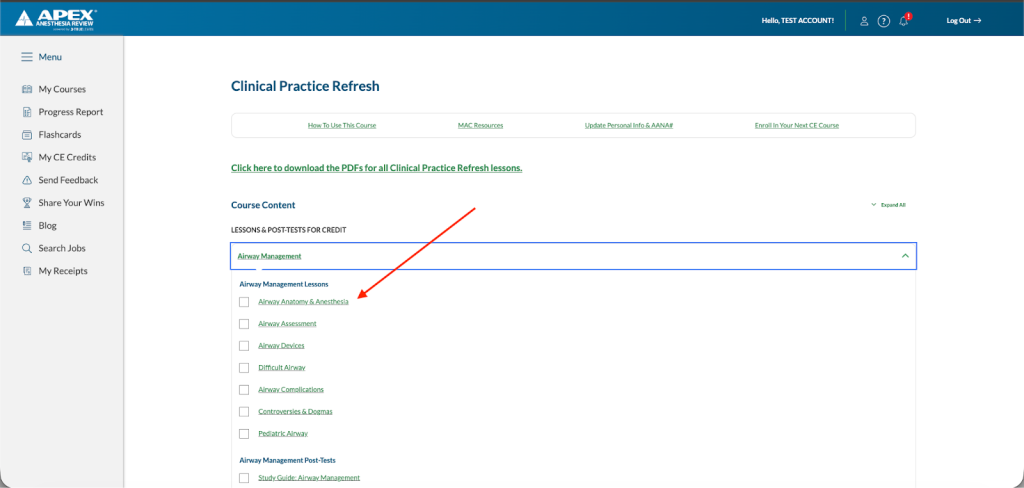
- Directly below the lessons, you will locate the corresponding post-tests. A comprehensive Study Guide is also available here for additional support.
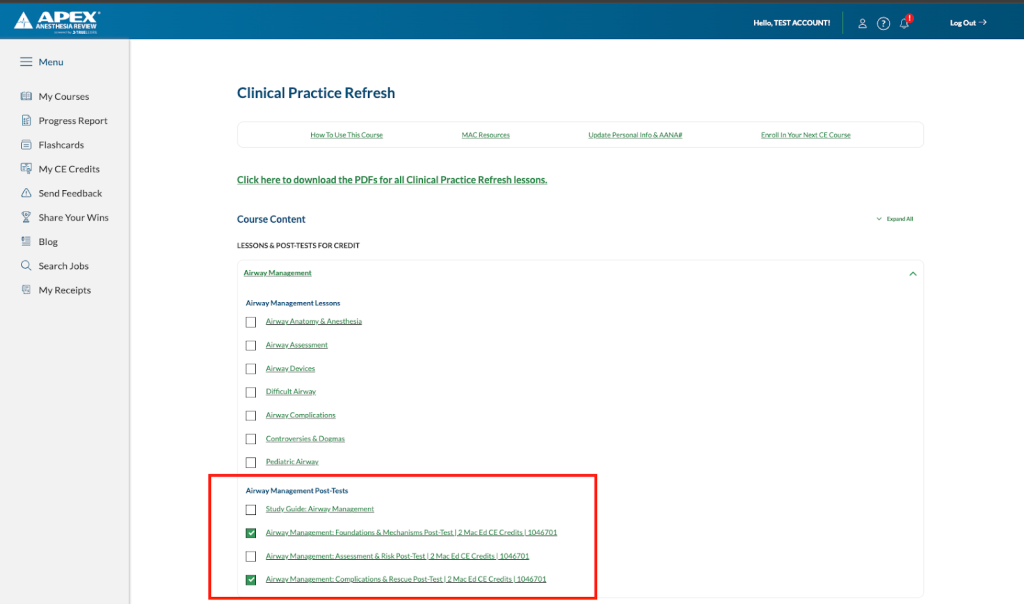
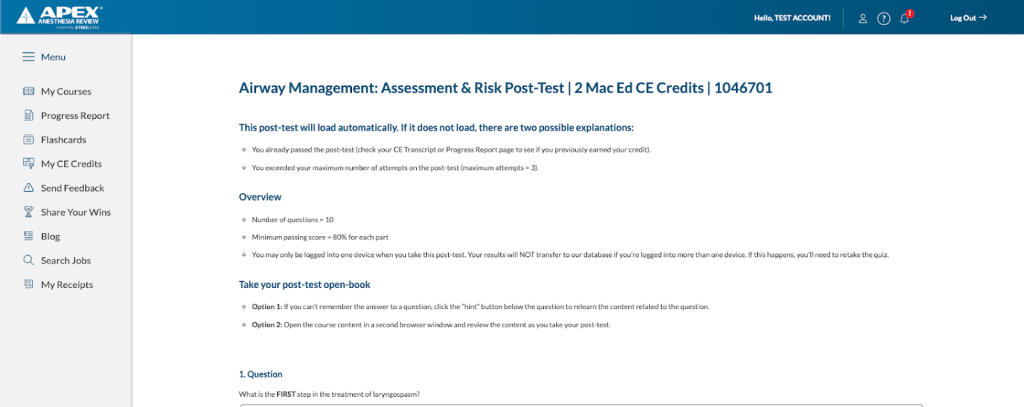
- To begin, click on the desired post-test link. A new tab will open with the selected post-test. Each post-test covers content from all lessons within its corresponding domain.
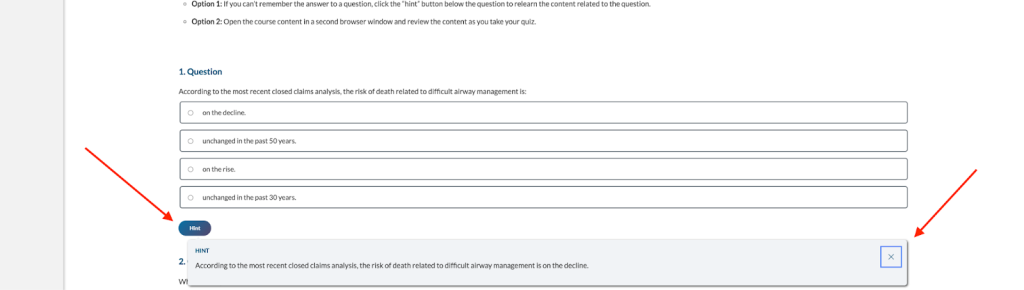
- Use the Hint feature to review more information related to the topic to help inform the answer. The hint will appear directly on the screen, allowing CRNAs to quickly answer the post-test question(s).
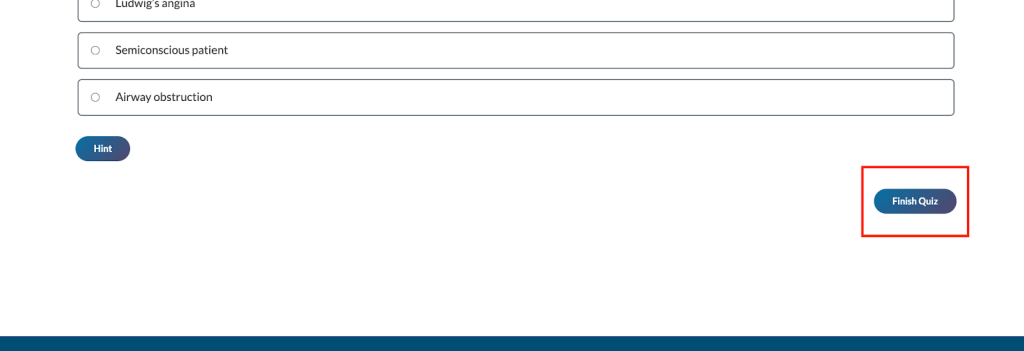
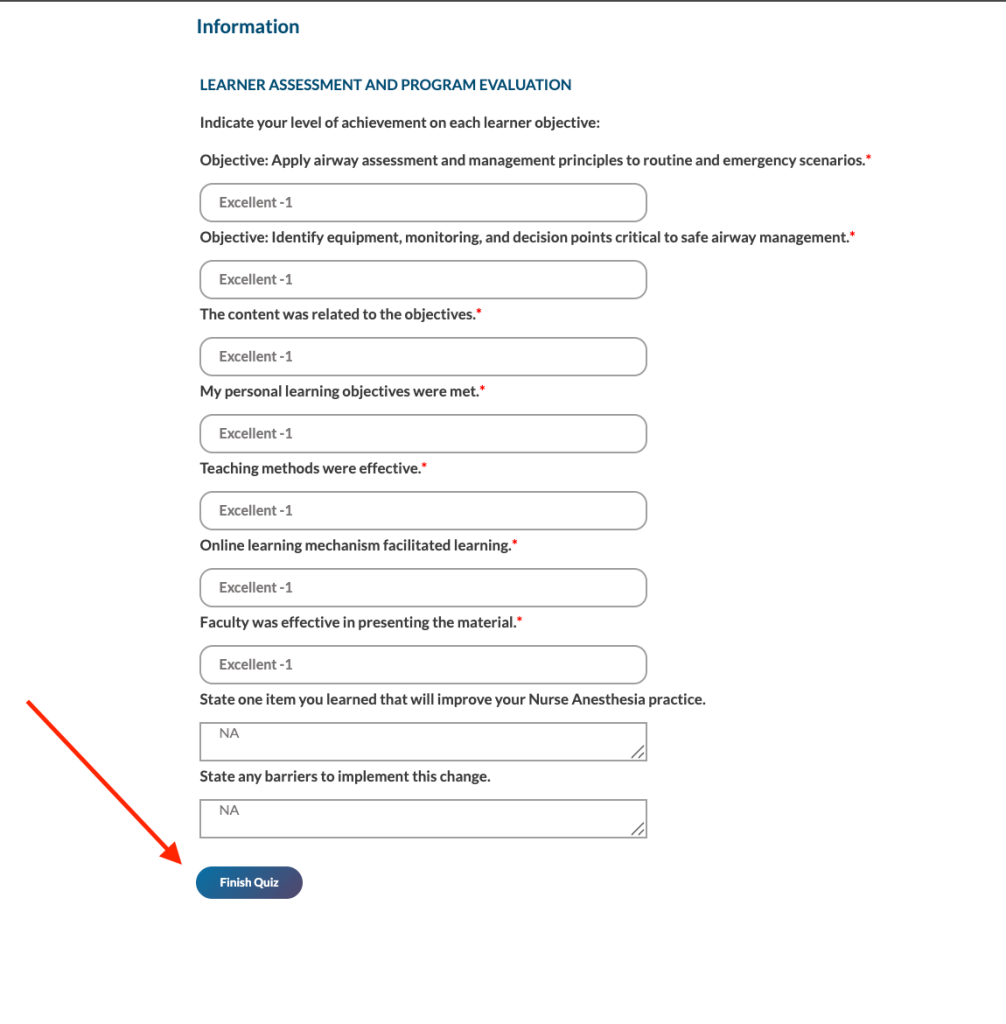
- When ready to submit the post-test with all final answers, click the “Finish Quiz” button at the bottom.
- Complete the LEARNER ASSESSMENT AND PROGRAM EVALUATION
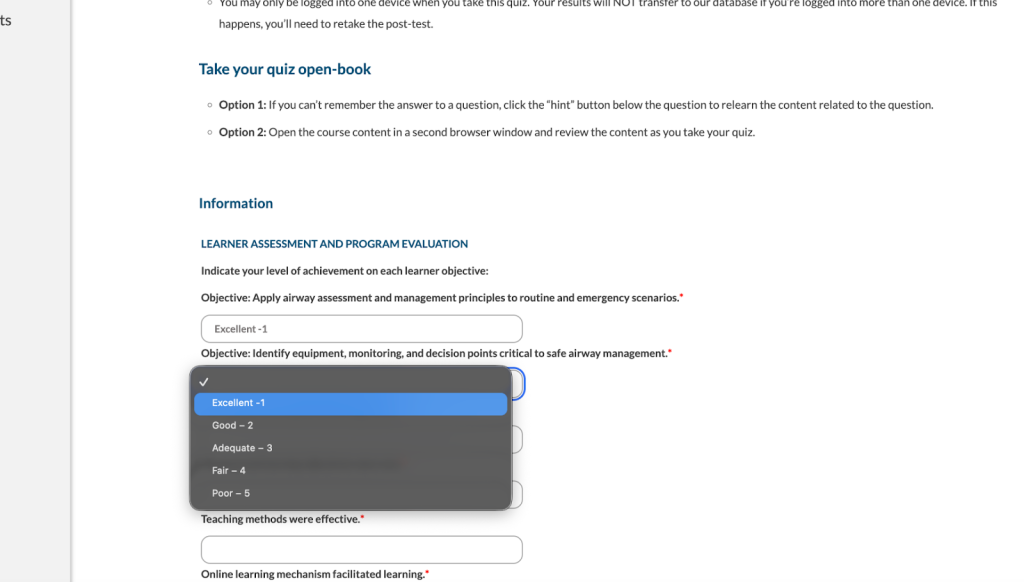
- Once complete, select Finish Quiz.
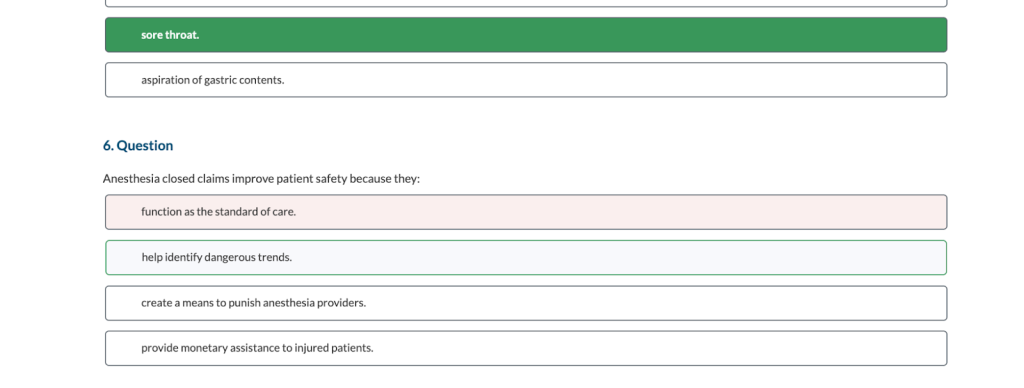
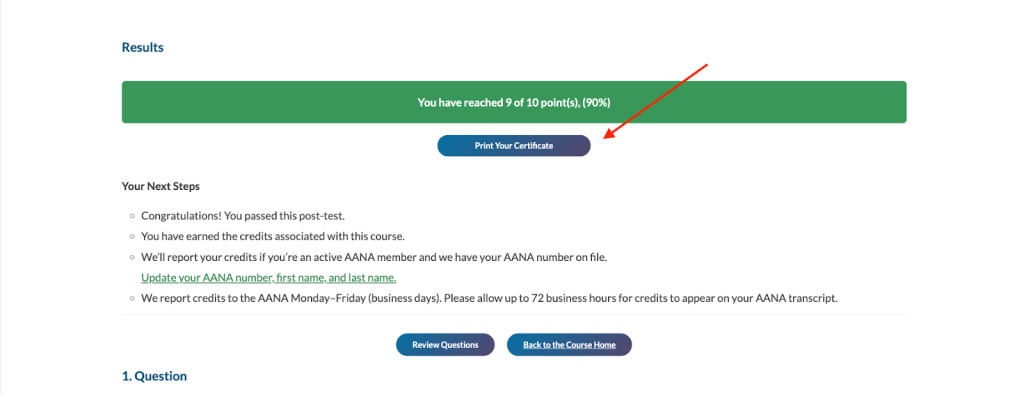
- Review your results. You may also select Review Questions to view your post-test. If a post-test question was answered incorrectly, your selection will appear in red, while the correct answer will appear in green.
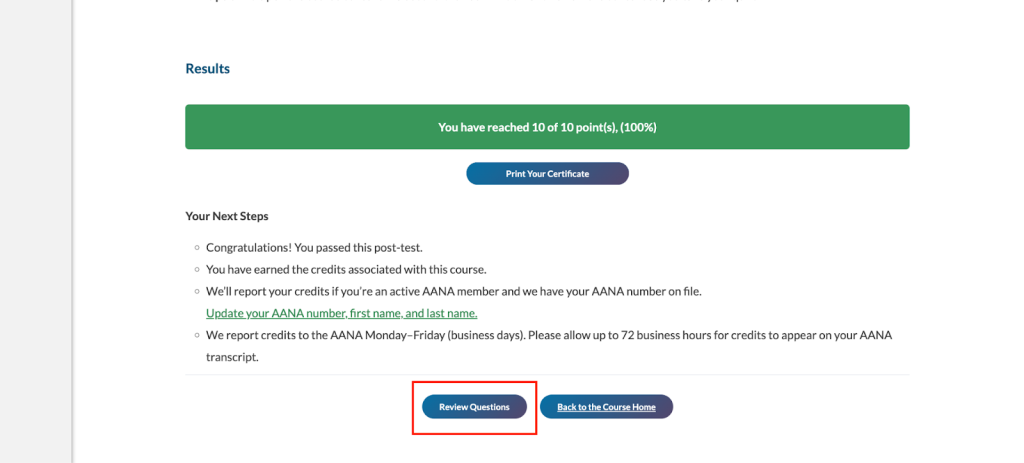
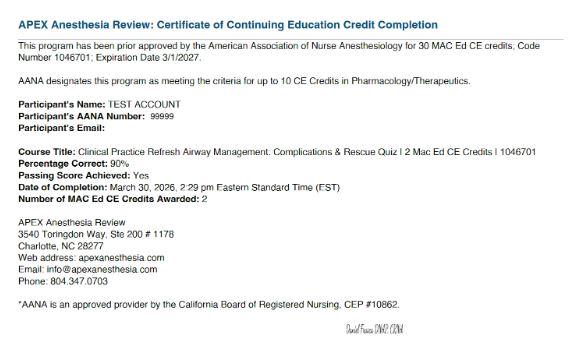
- If you successfully completed the post-test, you will have an option to download the certification of completion by selecting Print Your Certificate.
Certificate Example
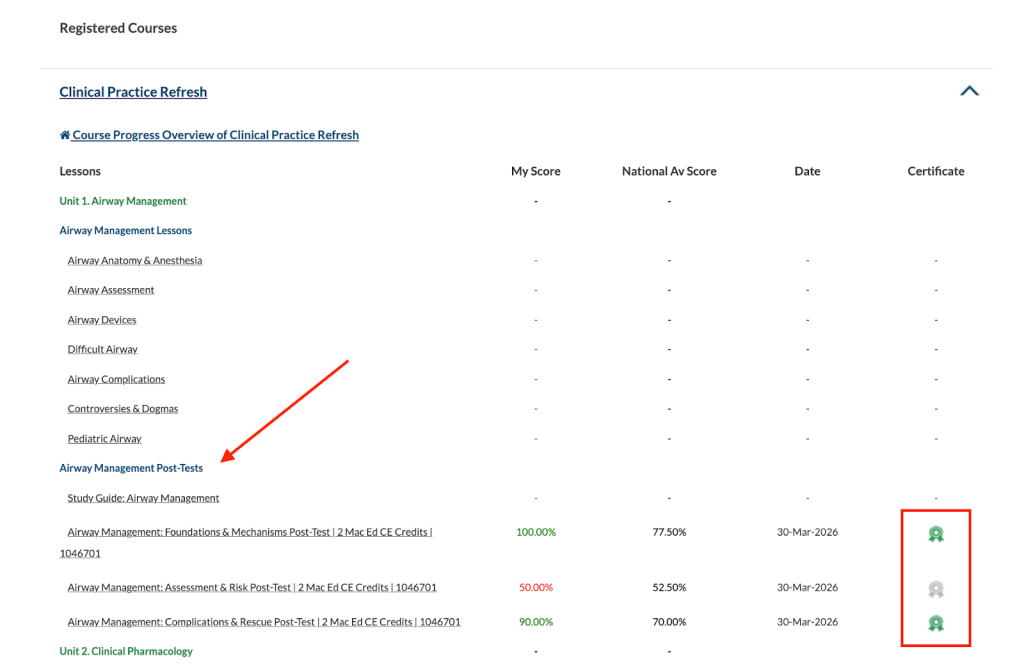
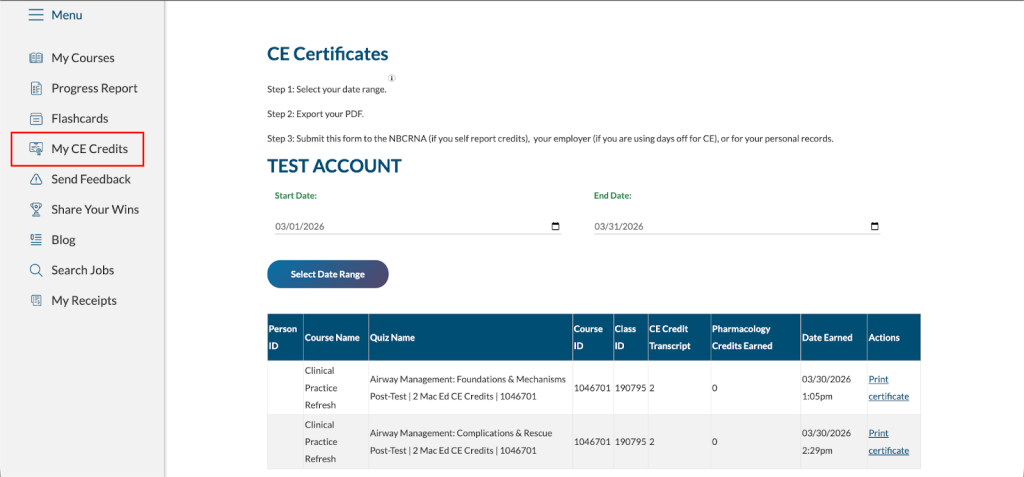
- Your completion will also show on your Progress Report page and My CE Credits page within your APEX account. Additionally, you will receive an automated email, emailed to the account you have on file, confirming completion.
Progress Report
My CE Credits
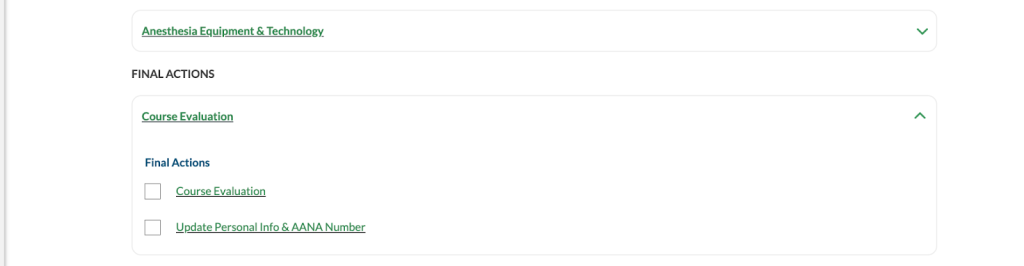
- Complete items in Final Actions
- Share your feedback with APEX
- Confirm your AANA number and personal information are up-to-date to ensure credits are reported correctly.
Frequently Asked Questions
- How can I access the Clinical Practice Refresh course?
- You can conveniently access the entire course from any device with an internet connection. This includes: computer, smartphone, and/or tablet.
- Can I be logged into APEX on my phone and laptop at the same time?
- You may only be logged into one device when you take this post-test. Your results will NOT transfer to our database if you’re logged into more than one device.
- Can I take the post-test “open book”?
- If you can’t remember the answer to a question, click the “hint” button below the question to relearn the content related to the question.
- How are my credits reported to the AANA?
- APEX will report credits completed for active AANA members on normal business days, Monday – Friday. It can take up to 72 hours for them to appear.
- It is important that you ensure your last name and AANA number in your APEX account match exactly what is listed in the AANA portal.
- Why didn’t I see an option to print my certificate?
- You must have completed the post-test with at least an 80% to get a successful completion and be awarded the certificate & credit reported to NBCRNA.
- What if I don’t pass with an 80% accuracy the first time?
- The NBCRNA allows for three attempts to earn an 80% or better.
- How will I know when my course expires?
- We want you to earn all of your credits, so we have several ways of reminding you when your course access expires.
- Scroll down to the bottom of the My Account page to view the expiration date.
- We’ll email you 1 month before your course expires (if you unsubscribe from our email list, you won’t receive this email).
- We want you to earn all of your credits, so we have several ways of reminding you when your course access expires.
- Can I use APEX to earn Class A credits for the NBCRNA MAC Program?
- Yes! Our courses have AANA prior-approval for Class A credits, which satisfy your MAC Ed requirements. Any Class A credits you earn over the required 60 will satisfy your MAC Dev requirements.
- Can CRNAs review the answers to missed questions as they can in the other CRNA courses?
- After completing the post-test & the learner assessment, you can view missed questions and answers by clicking on the Review Questions button.