
What is a Fellowship Certificate Program (FCP)?
A Fellowship Certificate Program (FCP) is an on-demand, practice-focused training program designed for radiologists who want to strengthen their interpretation and reporting skills within a specific subspecialty.
These programs are built to help radiologists gain confidence in reading efficiently and reporting independently in their chosen area of focus.
Each Fellowship Certificate Program includes:
- Practice cases (fully scrollable cases with quizzes)
- Expert-led instruction (microlearning videos and gold-standard faculty reports)
- Mastery Scorecard to track accuracy and speed
- Certificate of Completion when completing all fellowship cases
- CME credit
The Mastery Scorecard tracks your progress in real time, allowing you to monitor both your accuracy (percent correct) and efficiency (average review time) as you complete quiz questions and submit reports.
Upon successful completion of the program, you will receive a Certificate of Completion recognizing your achievement.
What fellowships do you offer?
You can view a complete list of available fellowships here.
Getting Started with your FCP
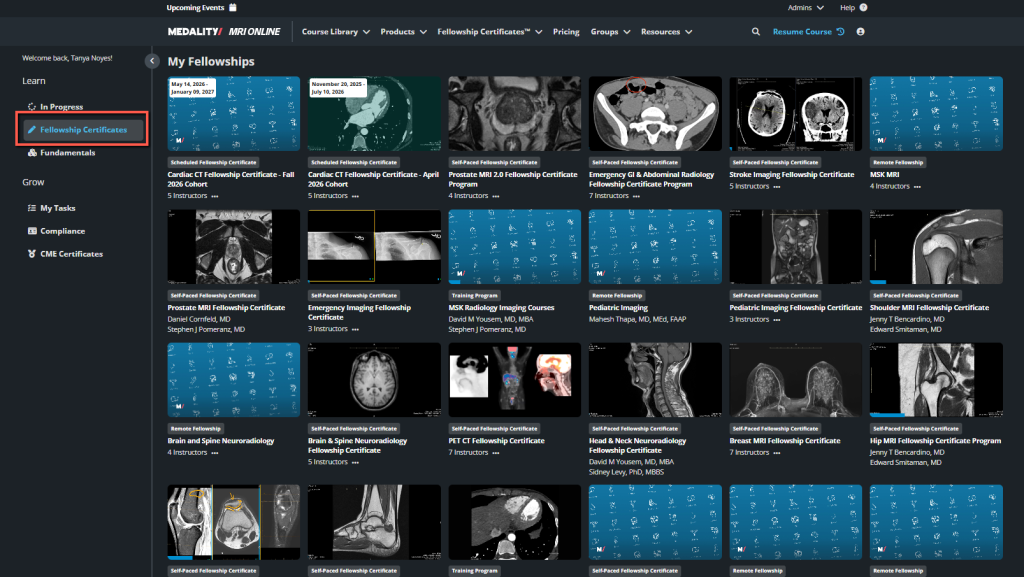
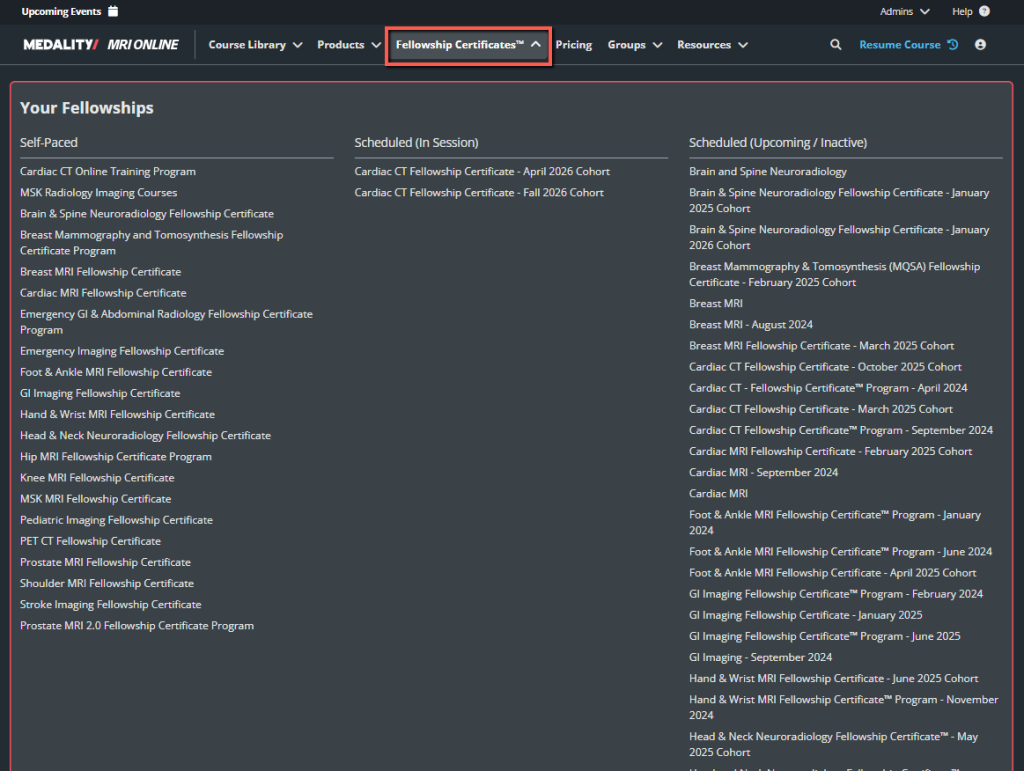
If you have been granted access to a fellowship, such as Emergency GI & Abdominal Radiology in this example, you can access it in two places on your primary dashboard.
- On the left hand navigation, under ‘Fellowship Certificates’
- On the top navigation, under ‘Fellowship Certificates’
2.Configure Your Workstation Environment: For hardware setup.
To simulate a true diagnostic reading room, it is highly recommended to use a dual-monitor setup. Dedicate one screen to the Medality learning portal instructions and the integrated dictation, and the other for full-screen browser scrolling.
Note: Please ensure you are using an updated version of Google Chrome (recommended) or Microsoft Edge.
3.Test the Web-Based DICOM Viewer: for software calibration.
Launch a sample practice case to test your internet bandwidth. The Medality platform utilizes a fully scrollable, zero-footprint web viewer loaded with cross-sectional imaging data. To make sure you are fully prepared, test your mouse scroll wheel, window/level shortcuts (soft tissue vs. bone vs. lung windows), and the multiplanar reconstruction (MPR) toggles.
“Taking” the Fellowship: The Interactive Learning Workflow
The program splits your training into two key modules – Mastery Training and Fellowship Training.
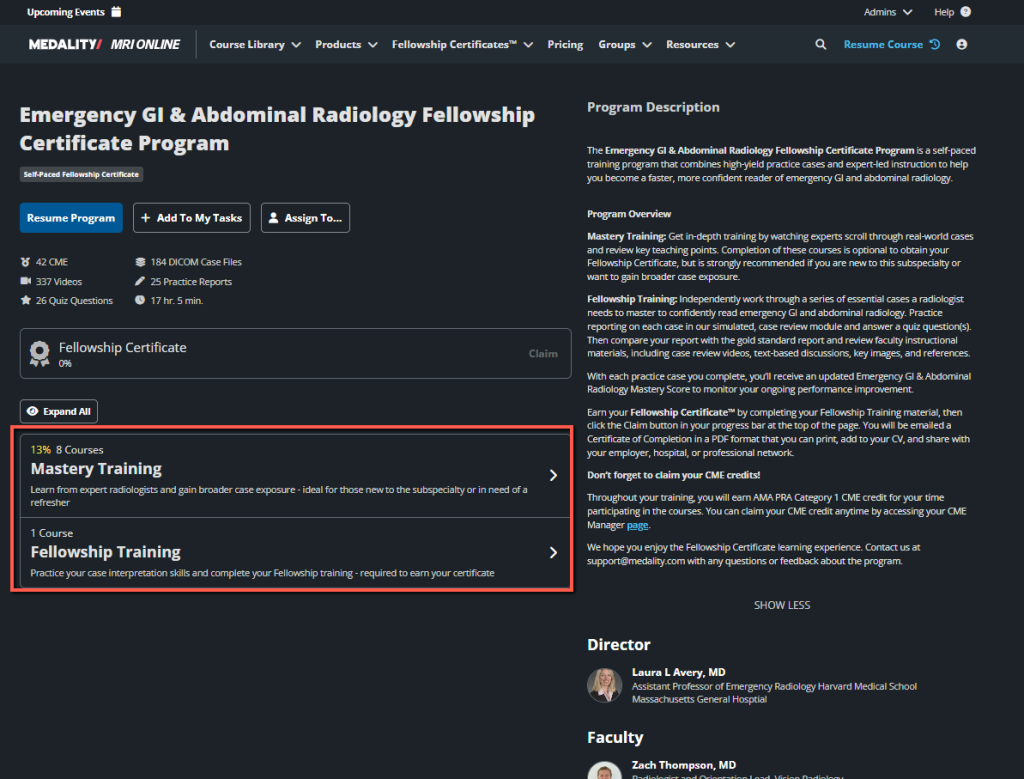
- Mastery Training allows you to learn from expert radiologists and gain broader case exposure. This is ideal for those new to the subspecialty or in need or a refresher.
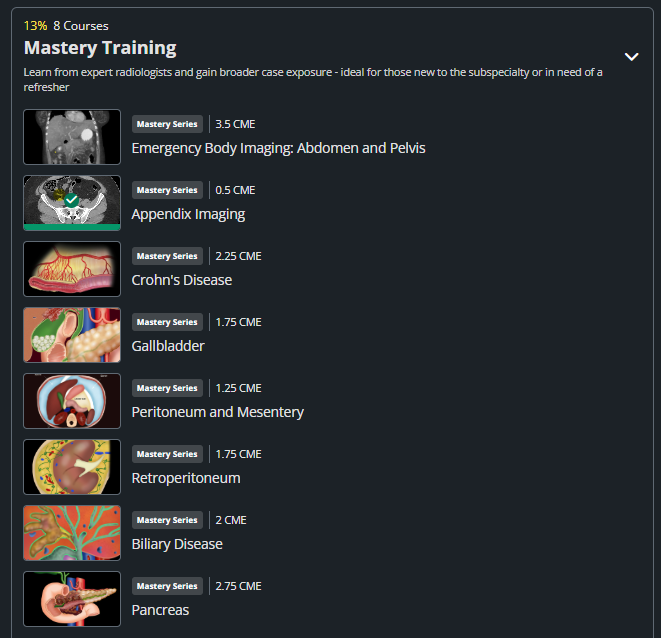
- Fellowship Training allows you to practice your case interpretation skills and complete your required Fellowship training. To build an elite search pattern under pressure, work through every clinical scenario using this cyclical framework.
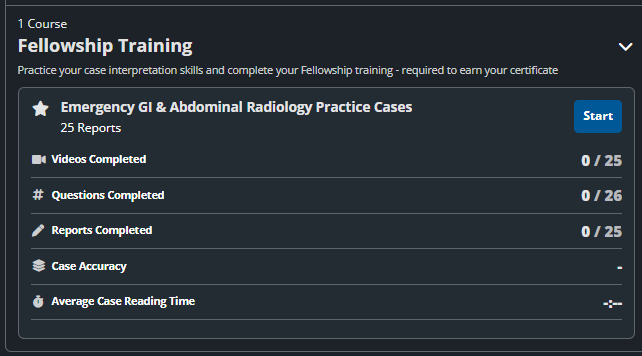
The workflow for Fellowship Training is:
Launch the Case Worklist: Moving from theory to practice. The system populates a simulated workflow queue of real, anonymized clinical cases that you will evaluate.
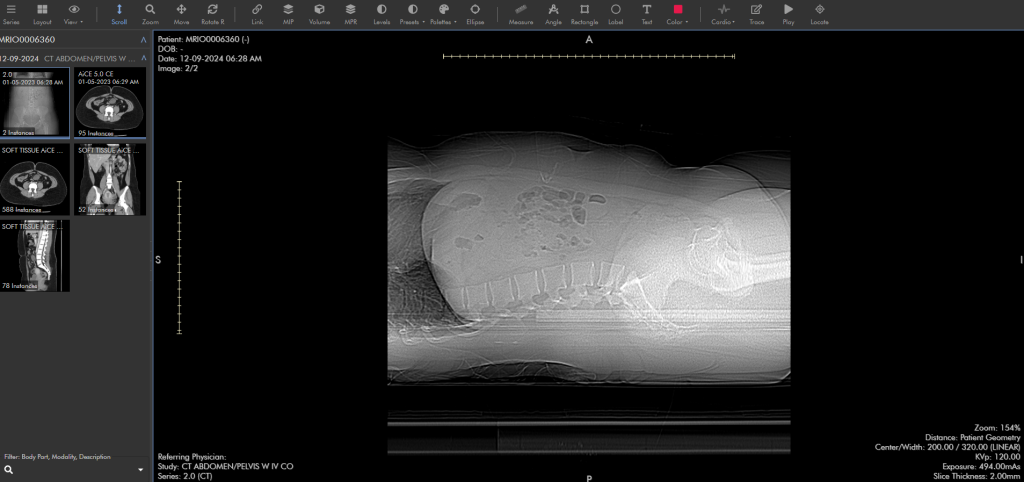
Review/Scroll Full DICOMs: The core hands-on interaction. Instead of just looking at static JPEG images, you will interact with a fully functional web-PACS viewer to scroll through a complete DICOM (Digital Imaging and Communications in Medicine) volume. You can window, level, and scroll through hundreds of slices just like a real diagnostic reading room.
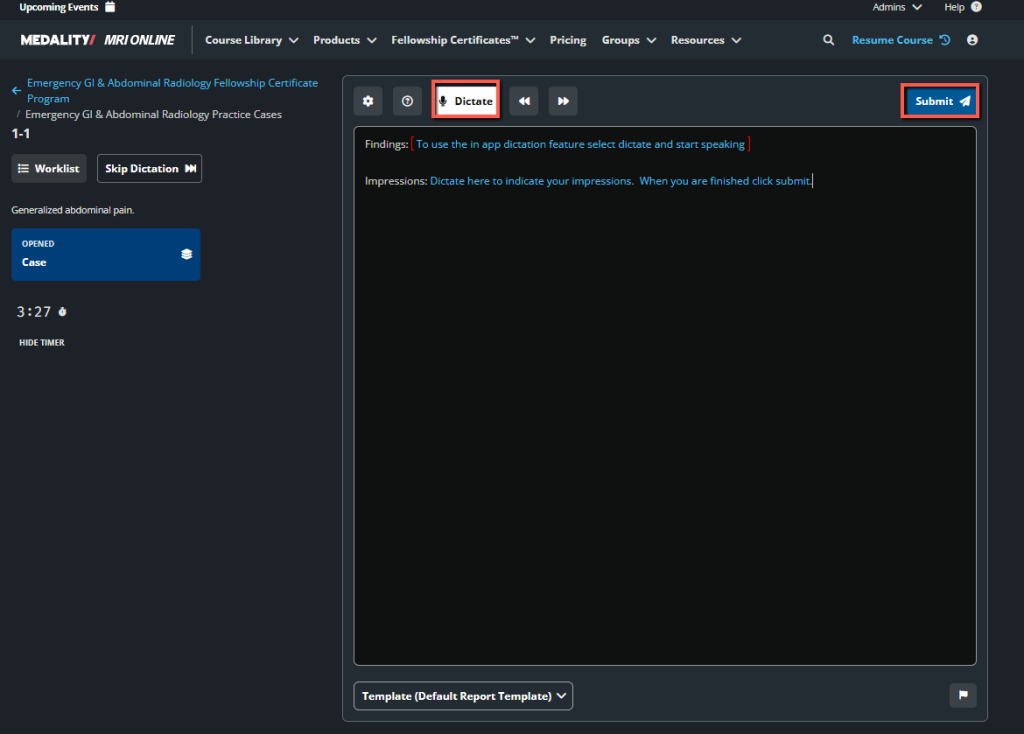
In-App Dictation: The assessment phase. You will either dictate your findings using speech-to-text tools or answer targeted quiz questions about what you spotted in the DICOM scan (e.g., measuring a lesion or identifying a fracture).
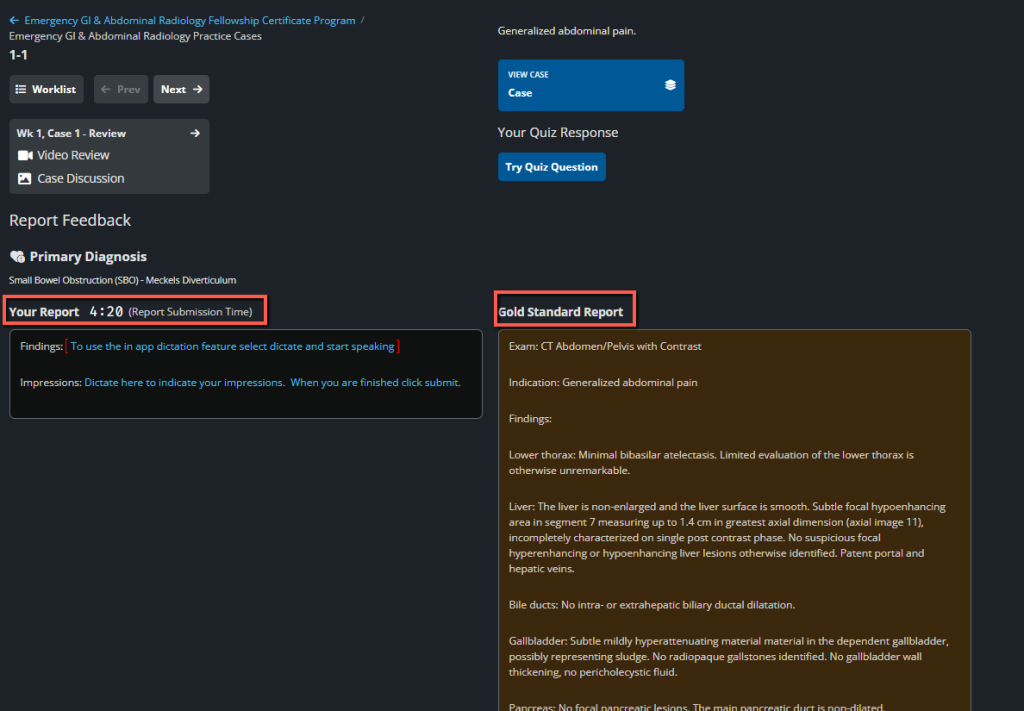
Gold Standard Comparison: The feedback loop. After submitting your report or answers, the system compares your work against the “Gold Standard”—the verified diagnostic report written by an expert attending physician or the proven surgical outcome.
1. Active Case Simulation
When you enter a training block (e.g., Lower Quadrant Pain, Blunt Abdominal Trauma, Bowel Obstruction), you will encounter real-world Emergency Department clinical scenarios. Treat each case like a live call shift:
- Analyze the Presentation: Read the brief clinical history (e.g., “45-year-old male presenting with acute right upper quadrant pain, fever, and leukocytosis”).
- Execute the Search Pattern: Scroll through the active DICOM files. Be vigilant for subtle emergency indicators: trace free fluid, hyper-enhancing bowel walls, or focal fat stranding.
- In-App Dictation & Reports: Use Medality’s features like the Case Worklist View and In-App Dictation to formulate and submit your preliminary findings.
2. The Feedback Loop & Performance Analytics
The core of Medality’s proficiency engine relies on immediate, post-case calibration:
| Feedback Element | Platform Action | Educational Value |
| Mastery Score Tracking | Automatically updates in your progress profile after every submitted case report. | Evaluates your ongoing diagnostic accuracy combined with your average case read time to track your efficiency gains. |
| Gold Standard Report | Displays side-by-side with your submitted findings. | Teaches you exactly how an expert structures their findings for the emergency general surgery team. |
| Expert Video Breakdown | Plays a screen-recorded scroll-through by world-renowned abdominal radiology faculty. | Highlights common diagnostic pitfalls, missed secondary signs, and variations in anatomy. |
Earning Your Certificate & CME Credits
To graduate from the certificate program and formalize your credentials for your CV, hospital, or professional network, you must complete the mandatory curriculum track.
- Completion Threshold: You must successfully work through and submit reports for 100% of the required practice cases assigned within the fellowship syllabus.
- Report Feedback Submission: For tracks with formalized grading feedback, verify that at least 80% of your case reports have been submitted for assessment.
- Quizzes & Knowledge Checks: Complete all embedded module quiz questions to verify your mastery over critical, life-threatening pathologies.
- Claiming Your Certificate: Once your progress bar hits 100%, click the “Claim” button at the top of your dashboard. Your formal Medality Fellowship Certificate of Completion will be generated instantly as a downloadable PDF.
- CME Allocation: This training is fully accredited through Partners for Advancing Clinical Education. Your AMA PRA Category 1 Credits™ will automatically sync to your personal CME Manager page, where you can download your credit transcript at any time.
For platform support, software inquiries, or assistance with case loading, contact the technical help desk at support@medality.com.